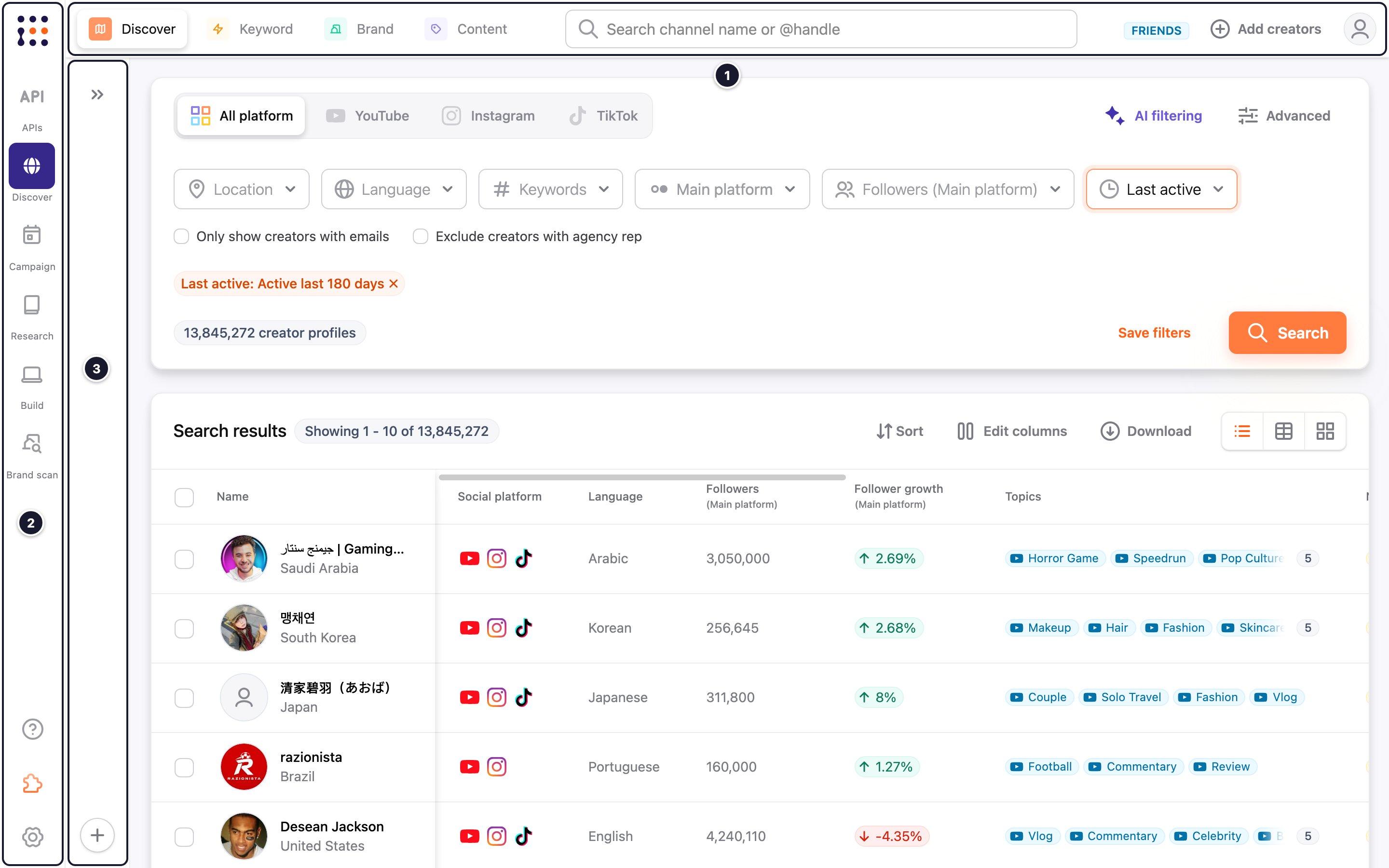
The CreatorDB user interface comprises three main navigation panels: the top navigation bar, the left navigation bar, and the side panel. The navigation bars provide shortcuts to the main CreatorDB features and settings. When you log in or click the CreatorDB logo, CreatorDB opens your default landing page. By default, this is the API dashboard, unless you chose Creator Discovery during onboarding or in your account settings. For details, see Changing your default landing page.
CreatorDB navigation panel

Top navigation bar

The Discover, Keyword, Brand, and Content tabs appear on the search pages.

Top navigation bar

Left navigation bar

Left navigation bar
Items marked Coming soon in the left navigation bar aren’t available yet.

Side navigation panel

On the Discover page, click the expand icon (») at the top left of the page to open the side panel, and « to hide it. The side panel holds search conditions you can reuse.
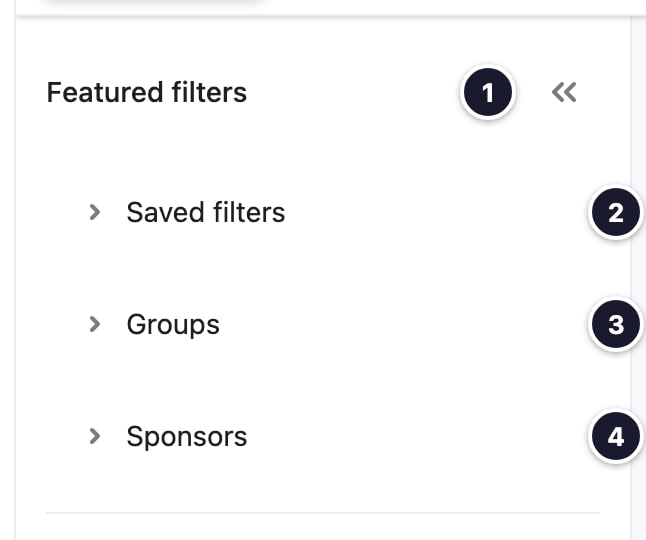
Expanded side navigation panel with numbered callouts
Last modified on October 22, 2026
