- Brand scan checks YouTube videos only. Instagram and TikTok creators can be included in a scan, but they always show as having no sponsored content.
- Only creators in the CreatorDB database are scanned. A scan can include as many creators as a group on your plan, and the number of scans you can run depends on your plan. For details, see CreatorDB pricing.
- The steps on this page assume you’re logged in to CreatorDB. If you don’t have an account yet, see Create an account.
Choosing the creators to scan
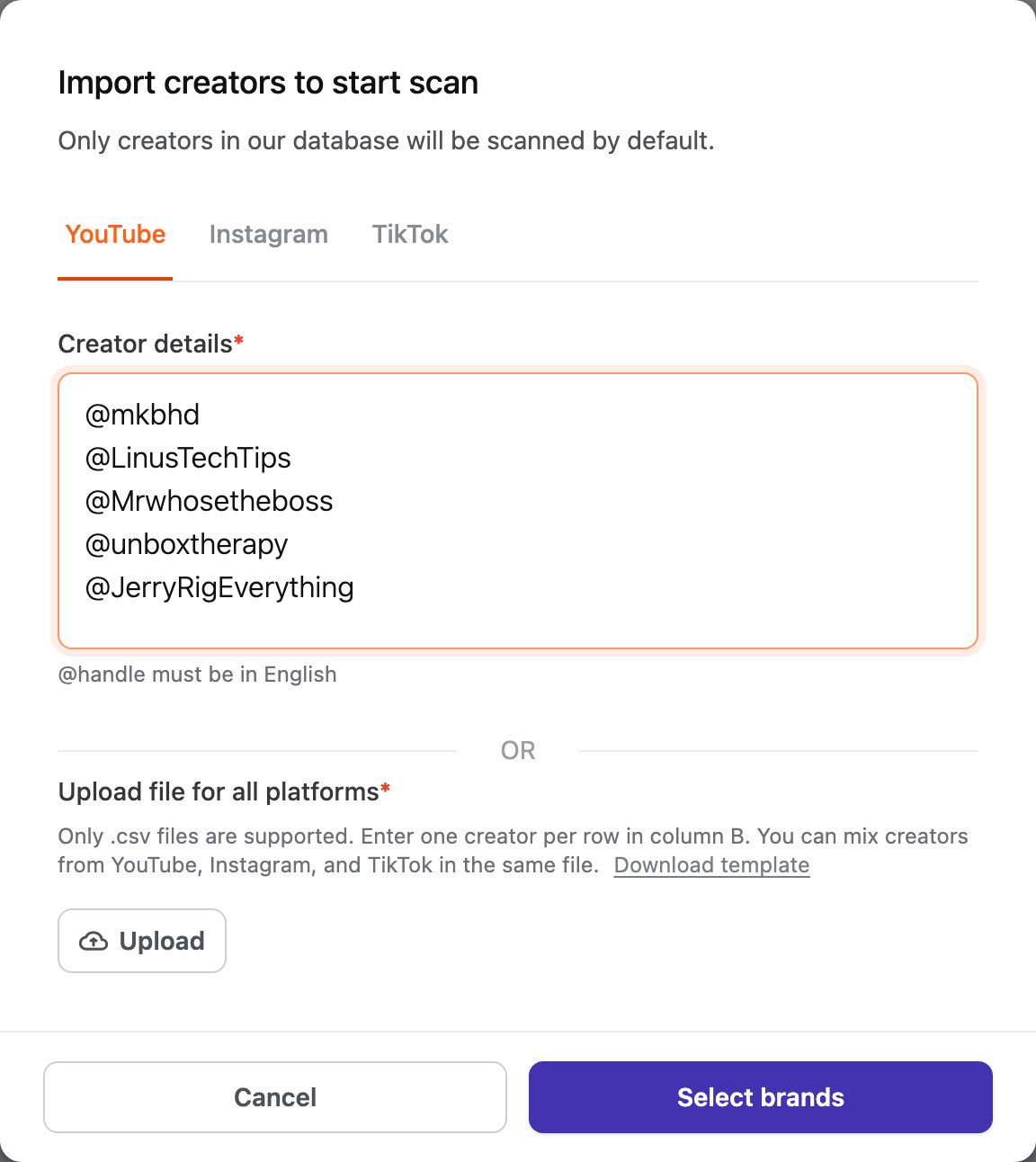
Click Brand scan in the left sidebar, then choose where the creators come from:- Scan by importing creators: click Import creators. Select a platform and enter one creator per line (@handle, channel ID, or URL), or click Upload and select a .csv file. Click Download template for the file format. Then click Select brands.
- Scan by group: click Select a group, select one of your groups, and click Select brands. For creating groups, see Managing groups.
Selecting brands and starting the scan
The Scan past sponsors page opens.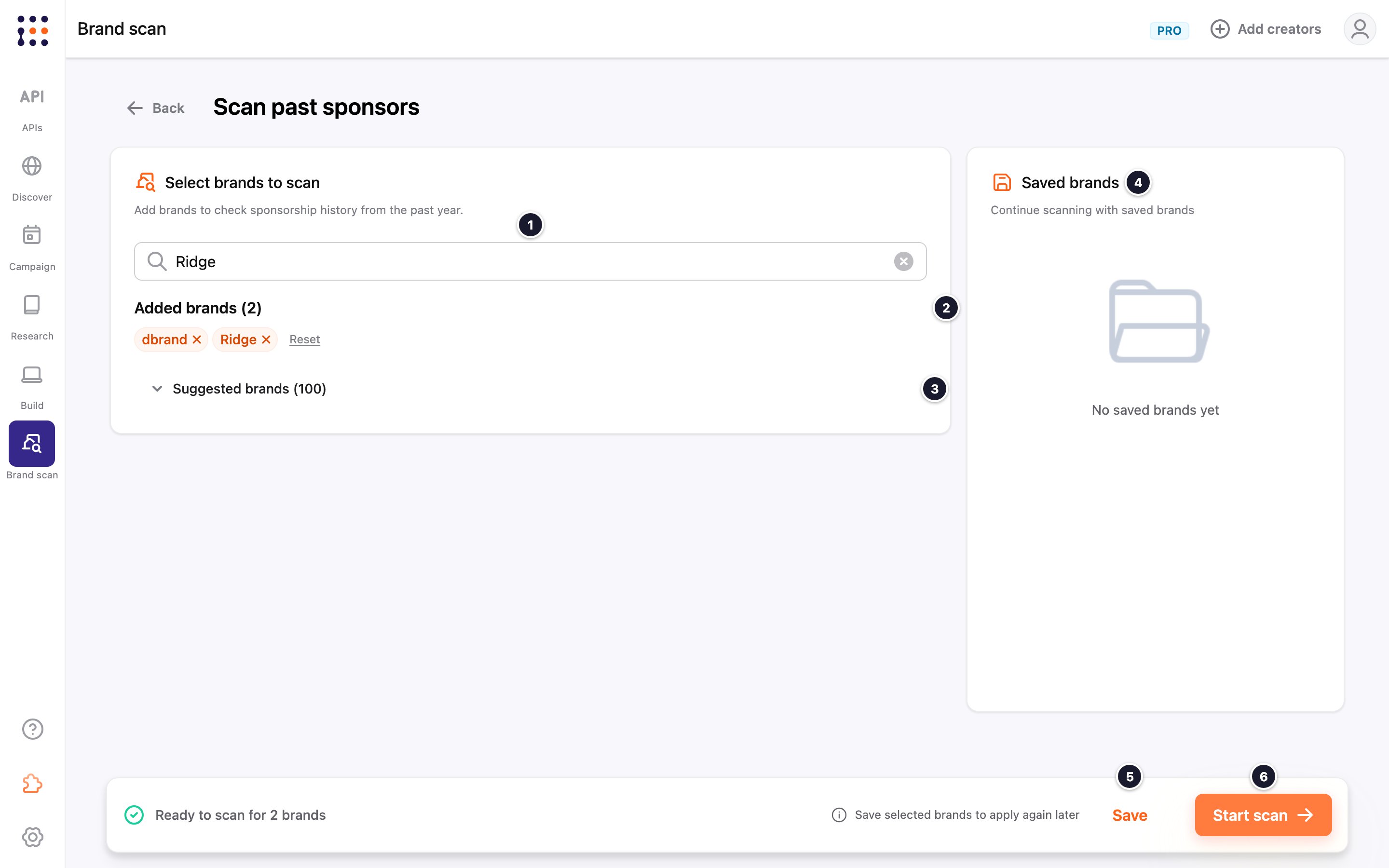
Viewing scan results
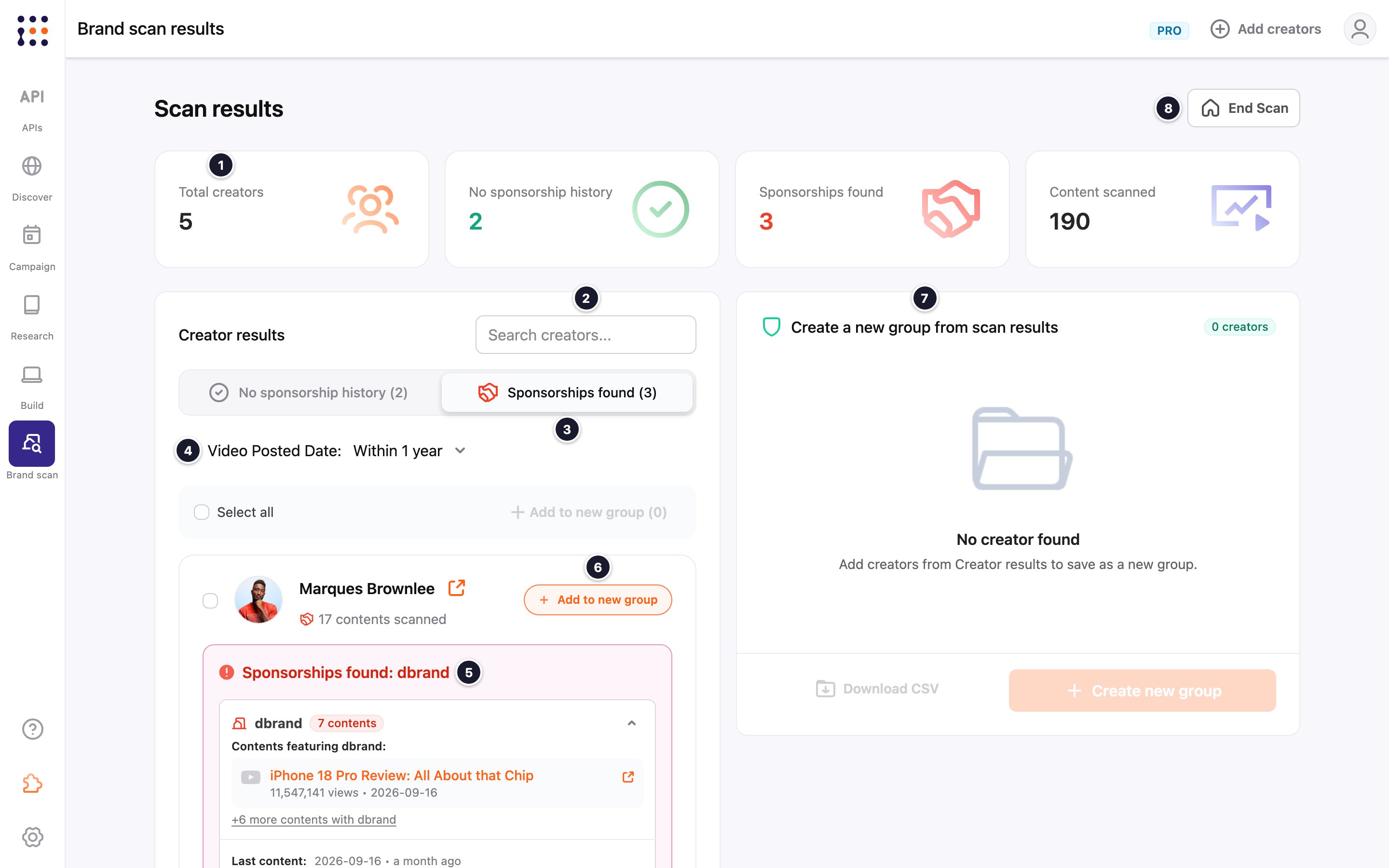
Click the link icon next to a creator’s name to open their profile. For details, see Viewing a creator’s profile and performance.
Ending a scan
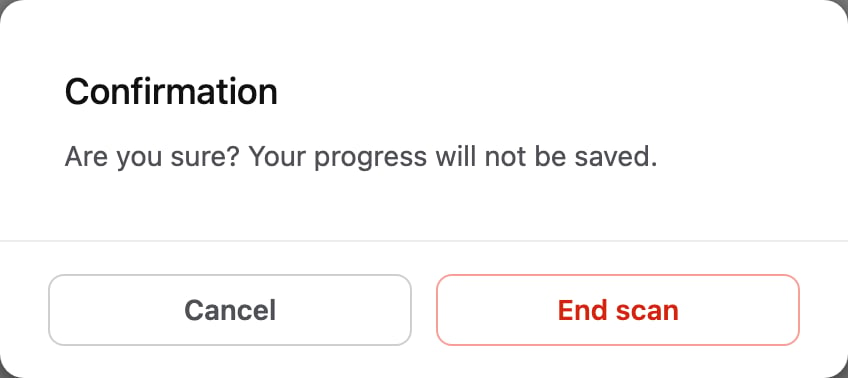
Click End Scan, then click End scan to confirm. Scan results aren’t saved, so create a group or download the results first if you need them.