

- Log in to CreatorDB.
- Click Settings.
The Basics tab of the Account page appears.
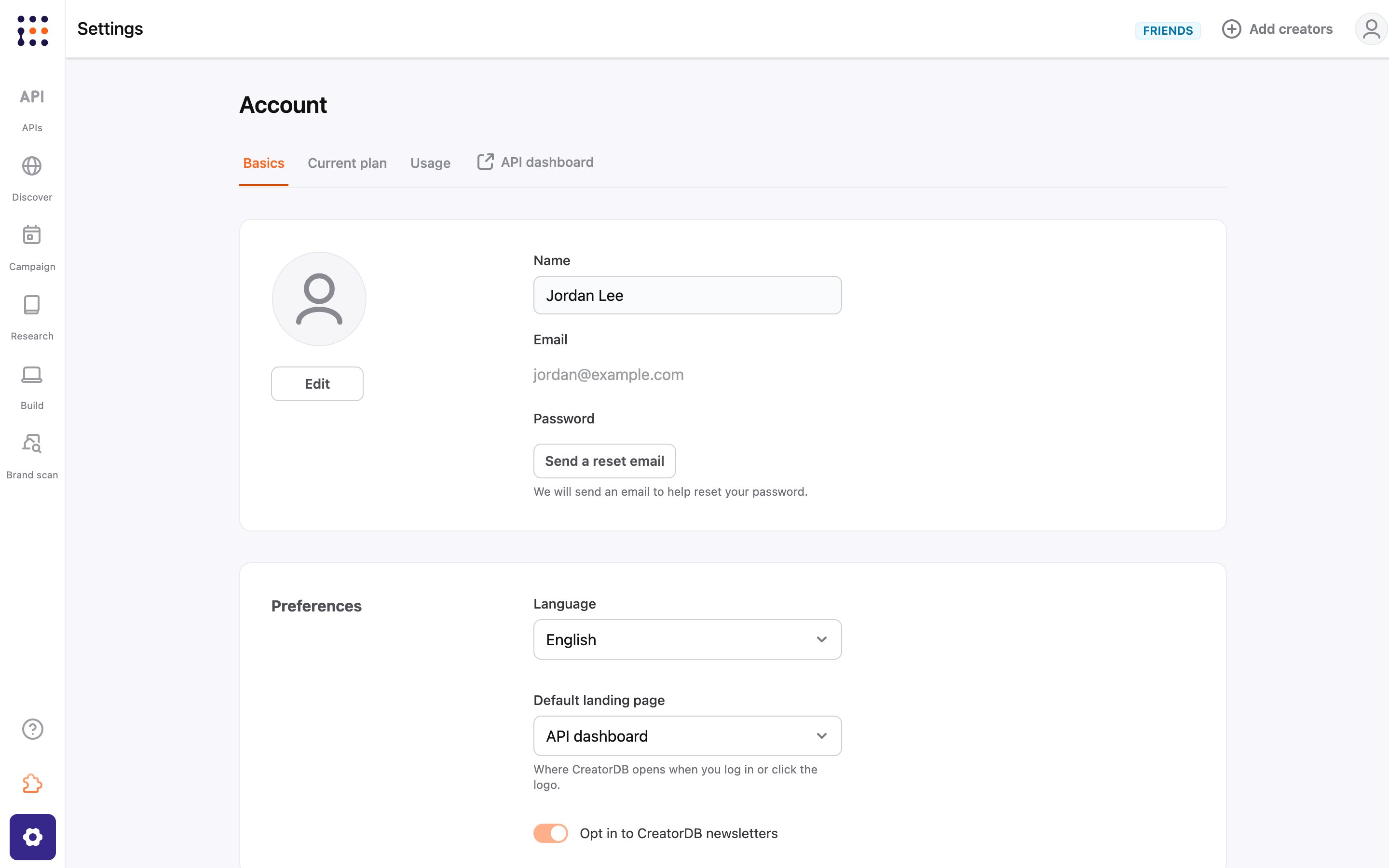
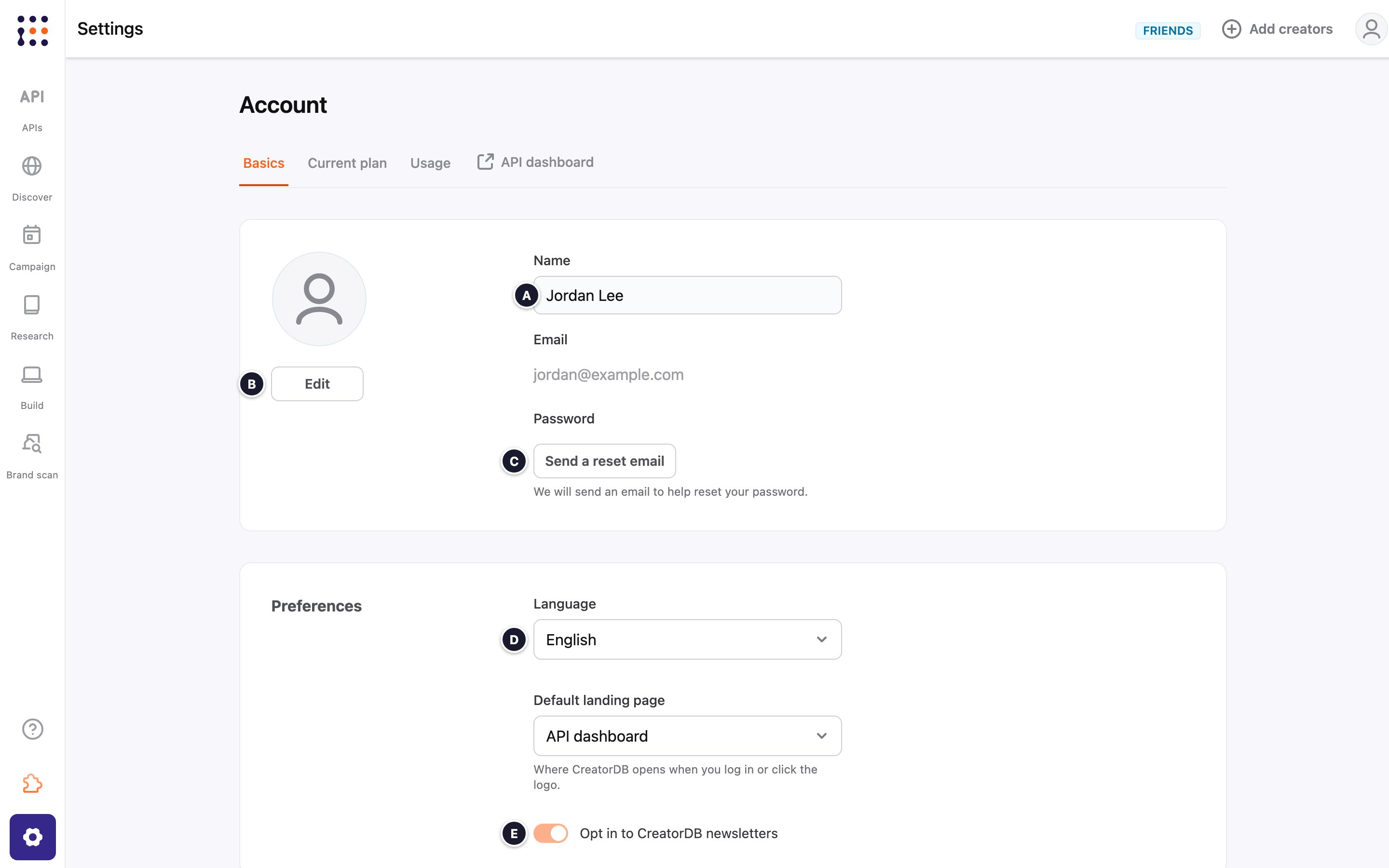
Preferences
Changing your default landing page
You can choose where CreatorDB opens when you log in or click the CreatorDB logo.- Log in to CreatorDB.
-
Click Settings.
The Basics tab of the Account page appears. -
Under Preferences, select one of the following options from the Default landing page drop-down menu:
- API dashboard
- Creator Discovery
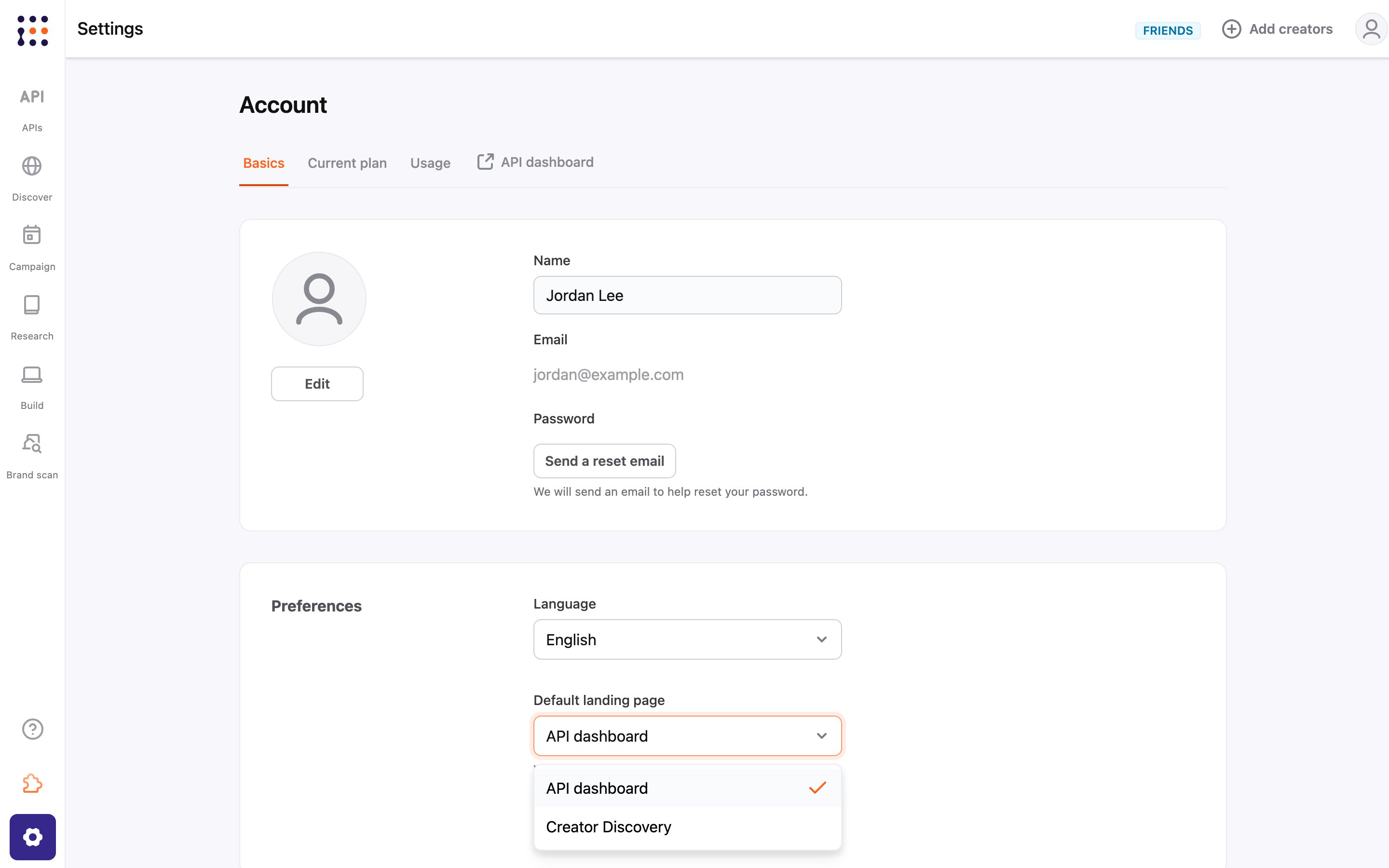
By default, the default landing page is the API dashboard. If you chose Creator Discovery during onboarding, CreatorDB opens Discover instead. You can change this setting at any time.