

- Sponsorship data covers YouTube and Instagram. TikTok sponsorships aren’t tracked.
- The number of brand searches and brand profiles you can view depends on your plan. To check your remaining quota, see Viewing SaaS quota usage. For plan details, see CreatorDB pricing.
- The steps on this page assume you’re logged in to CreatorDB. If you don’t have an account yet, see Create an account.
Searching for brands
Click Discover in the left sidebar, then click Brand at the top.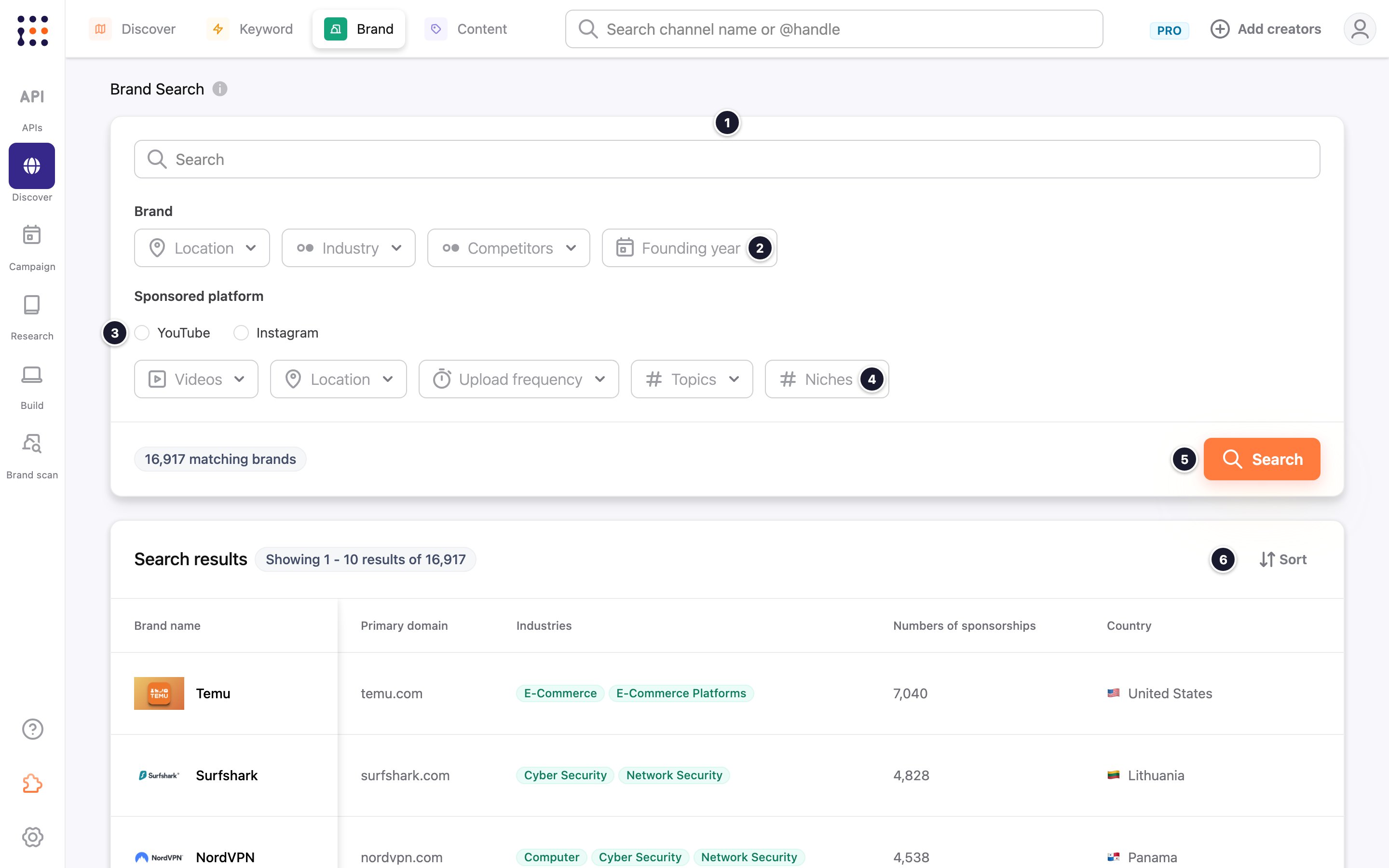
Viewing a brand’s profile
Click a brand in the search results, or click a sponsor’s card on a creator’s profile.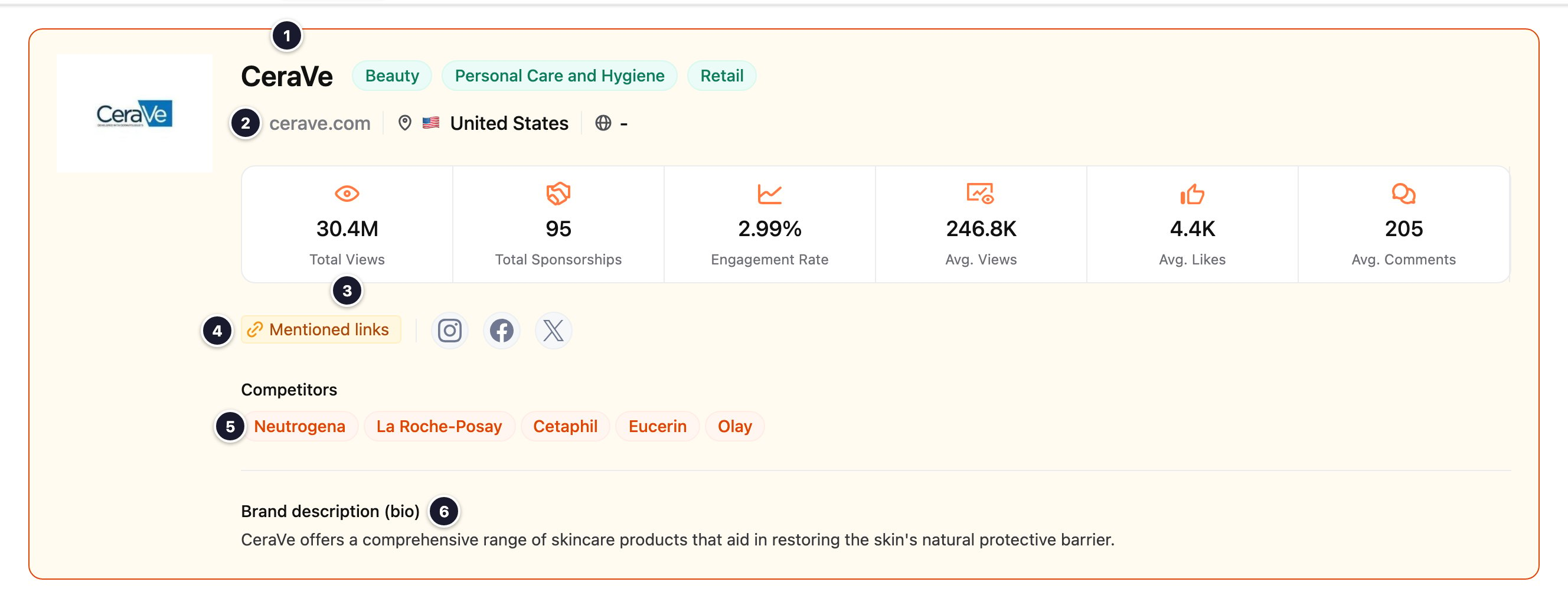
Below the header, the profile has three more sections:
- Brand Overview: the historical average views, likes, and engagement rate of the brand’s sponsored content, and a chart of one metric (choose it from the drop-down) over the Last 7 days, Last 30 days, or Last 90 days.
- Recently Sponsored Channels: the creators the brand sponsored most recently. Use Sort, Edit columns to choose which columns to show, and Download to save the current page of results as a .csv file. The icons on the right switch between the table view and a card view that also shows each creator’s latest two videos sponsored by the brand.
- Sponsored Contents: the brand’s most recent sponsored videos, with each video’s publish date, views, likes, and engagement rate.