

The steps on this page assume Creator Analytics is open on a creator’s page and you’re logged in. For details, see Opening and logging in.
Numbers are shortened to thousands (1K = 1,000) and millions (1M = 1,000,000). On the Free plan, Views range and the Brand tab are limited to 5 creator profiles per day. For plans, see Pricing.
YouTube overview
Overview opens by default.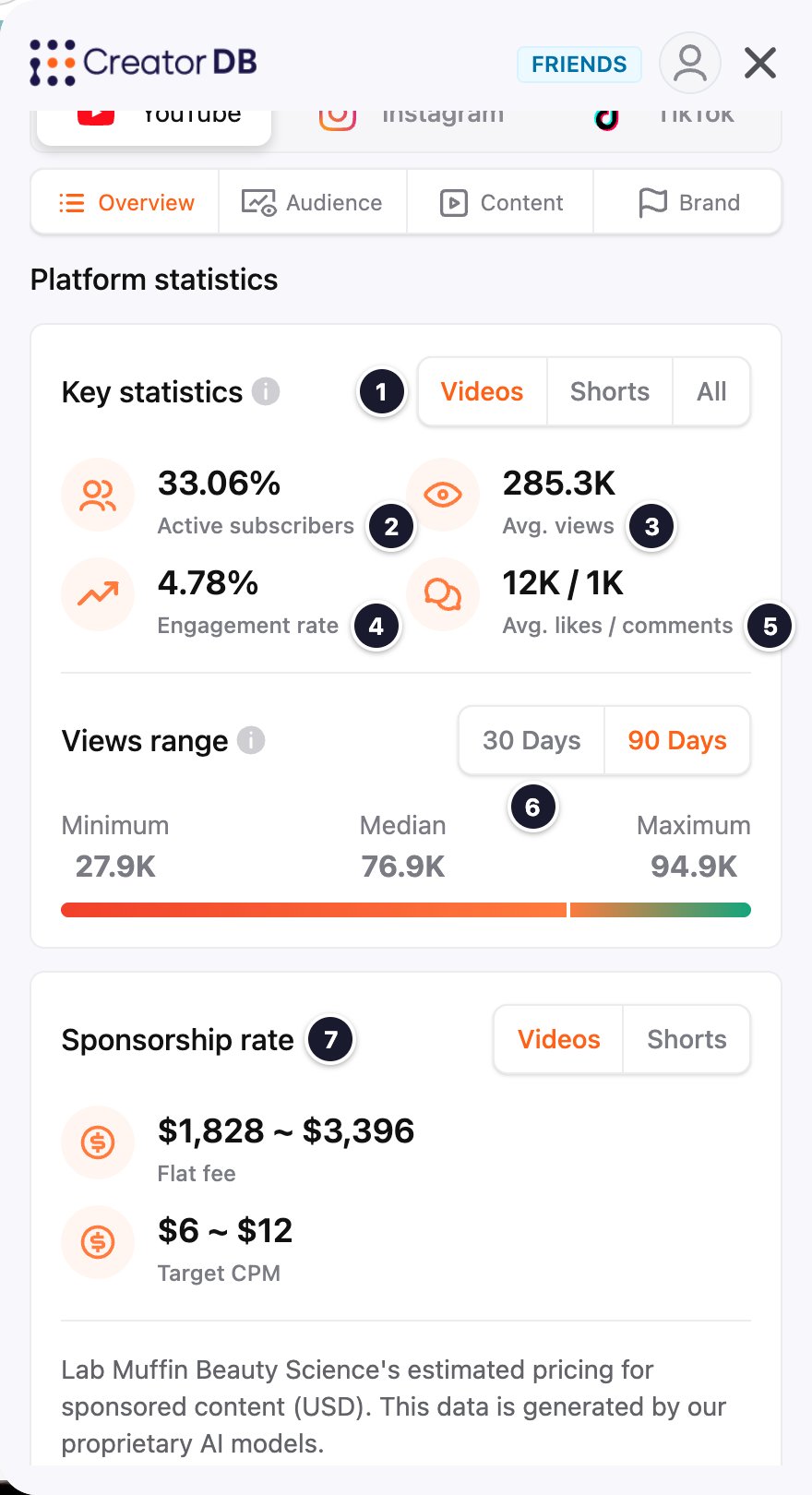
YouTube audience
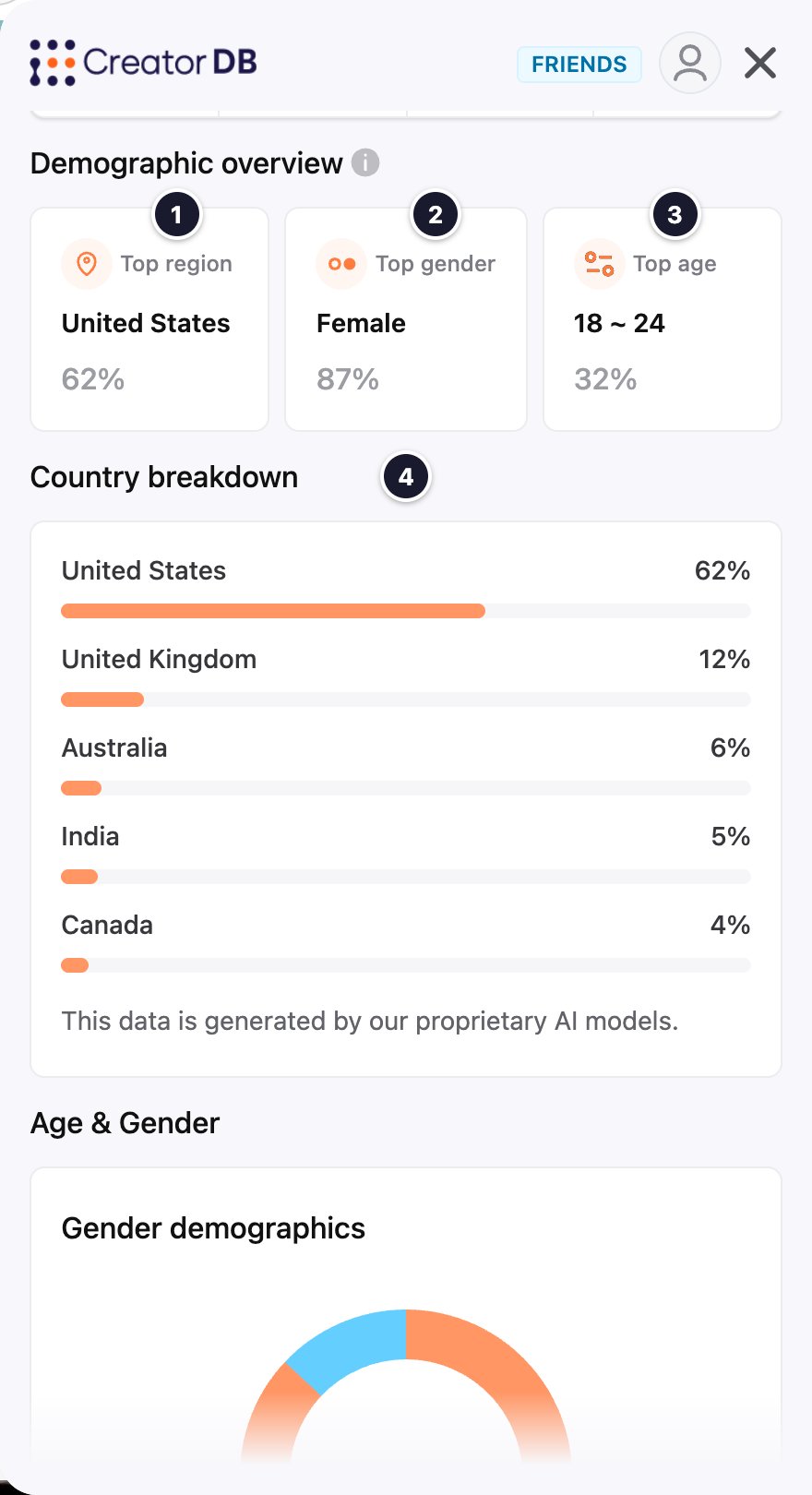
Scroll down for Age & Gender: a Gender demographics chart and an Age breakdown chart by age group. Audience data is generated by CreatorDB’s AI models.
YouTube content
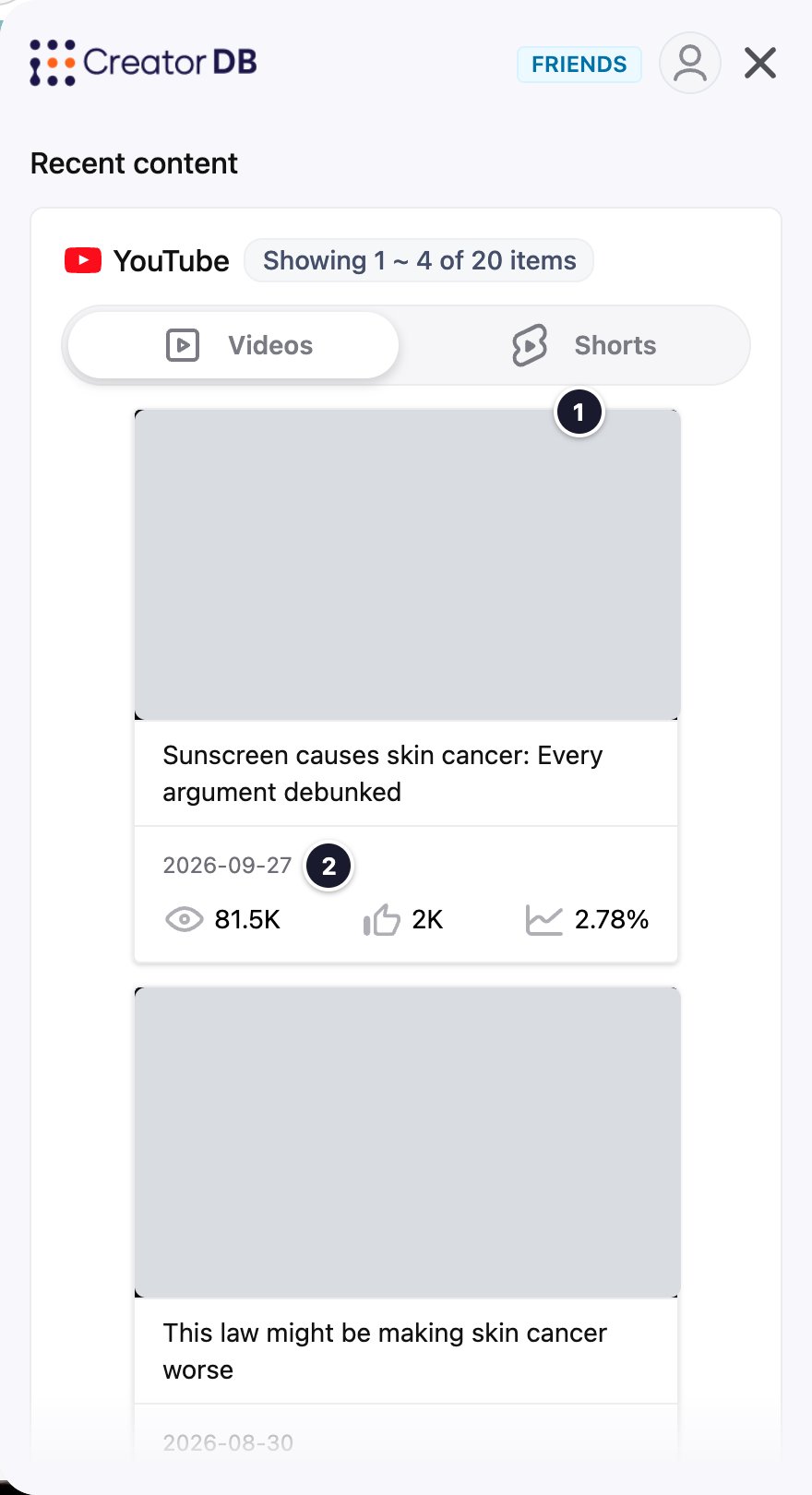
Below the videos, Recent hashtags, topics & niches shows the hashtags the creator used recently, their Top 5 topics, and their Top 5 niches as classified by CreatorDB’s AI models, and how often they post (Content per week and Content per month).
YouTube brand
The Brand tab shows the creator’s sponsored videos from the past year and how they perform compared with the creator’s other videos.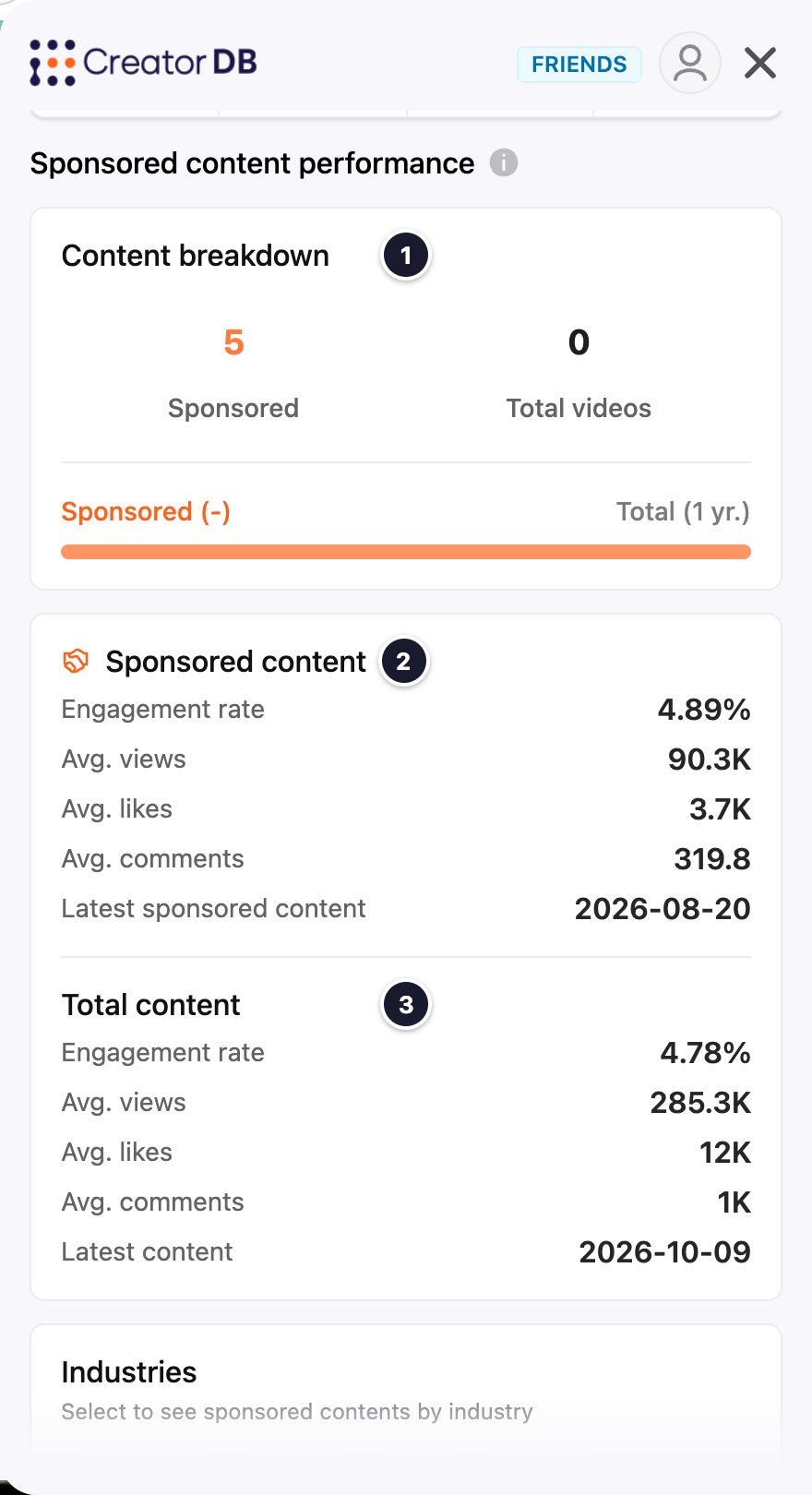
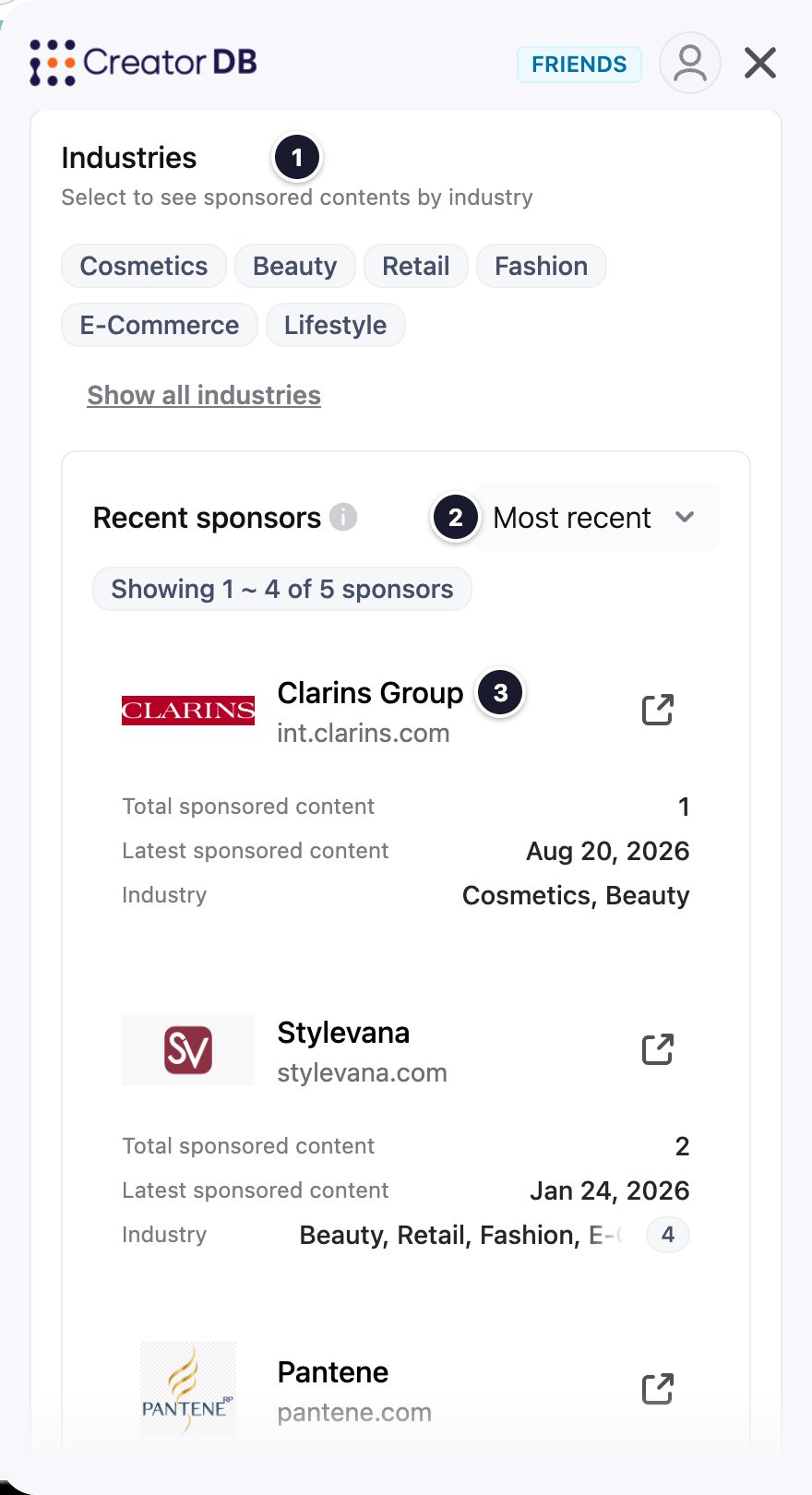
Below the sponsors, Sponsored content lists the sponsored videos. Sort them by Most recent, Views, Likes, or Engagement rate.