

How credits work
The CreatorDB App and API 3.0 share the same credit pool. Credits included in the subscribed plan are issued monthly and do not roll over. They are not paid as a lump sum. Meanwhile, purchased credits only last one year from the date of purchase, and each purchase carries its own clock, including discounted credits purchased on an annual plan.For example, if you purchase 1,000 credits on January 1, 2024, they will expire on January 1, 2025. If you purchase another 1,000 credits on June 1, 2024, those credits will expire on June 1, 2025.
For example, if you buy 10,000 extra credits on August 12 and then buy 50,000 on September 11, the credits purchased in August will be used first before the September credits. If you use 15,000 credits in September, the August credits will be used up first, and you will have 45,000 September credits remaining.
402 PAYMENT REQUIRED error when making an API call. You can purchase additional credits to continue using the API or upgrade to a higher-tier paid plan to get more credits.
Plans and credit rates
Save 20% to 25% by paying annually. Annual plans are billed upfront. You can upgrade or downgrade your plan at any time. Upgrading a plan will take effect immediately, and you will be charged the difference in price for the remainder of the month. Downgrading a plan will take effect in the next billing cycle.Prices in USD and subject to change. For current pricing, see CreatorDB Pricing.
Buying additional credits
If you use up all plan credits and need more, you can purchase extra credits at the discounted rates through the API dashboard in the CreatorDB App.For example, if you are on the Tier 1 plan and purchase 1,000 extra credits, you will have a total of 3,000 credits available this month. These comprise your 2,000 plan credits, which expire at the end of the month, and the 1,000 purchased credits, which remain available for a year.
If you are on the Tier 2 plan and purchase 5,000 extra credits, you will have a total of 15,000 credits available this month: 10,000 plan credits that expire at the end of the month, and 5,000 purchased credits that remain available for a year.
If you are on the Tier 2 plan and purchase 5,000 extra credits, you will have a total of 15,000 credits available this month: 10,000 plan credits that expire at the end of the month, and 5,000 purchased credits that remain available for a year.
- Log in to CreatorDB.
- Click API.
- Click Manage credits.
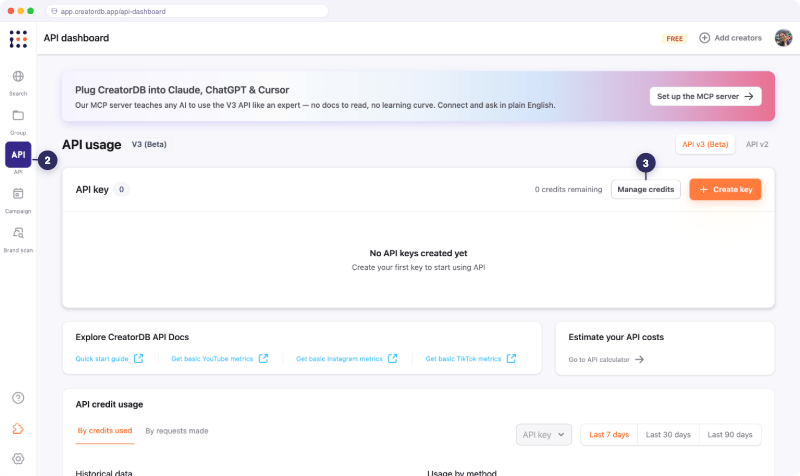
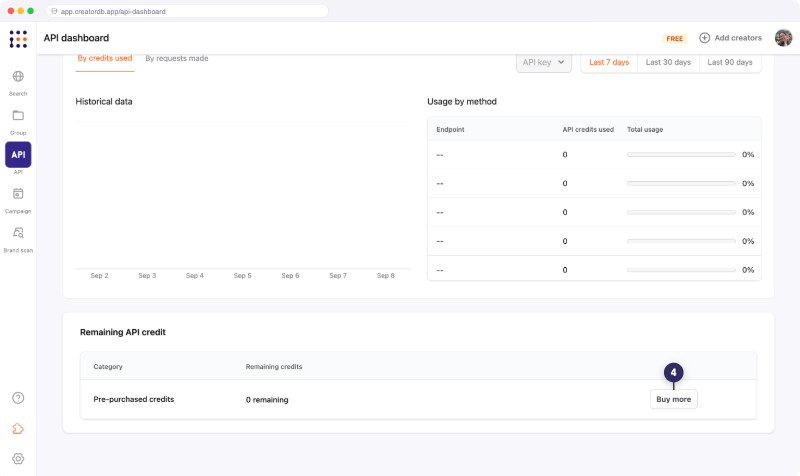
- Click Buy more.
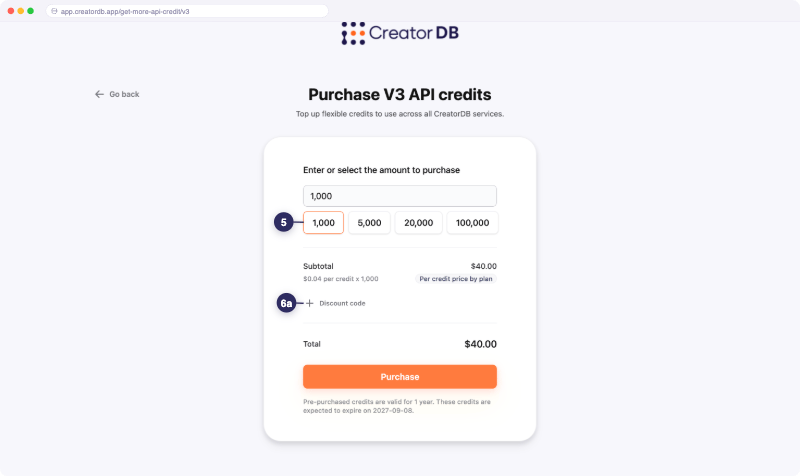
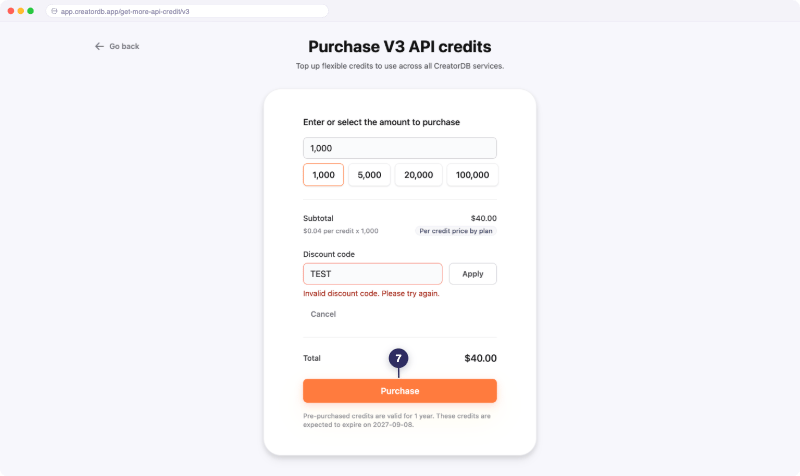
- Select or enter the number of credits you want to purchase.
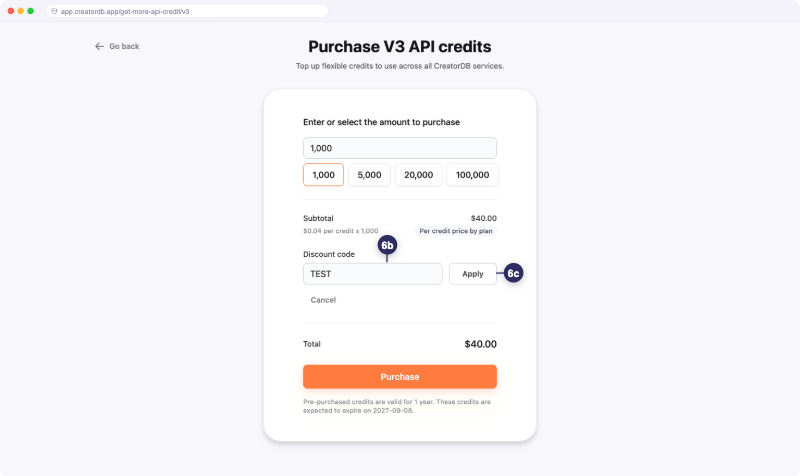
- Optional: Enter a discount code.
a. Click Discount code.
c. Click Apply.
- Click Purchase.
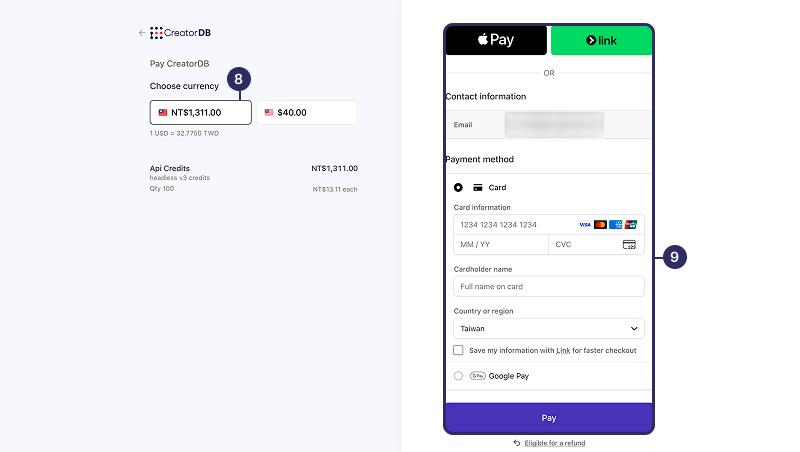
You will be redirected to the payment page.
- Select a currency.
- Select a payment method and follow the on-screen instructions to complete the purchase.
You will receive a confirmation email once the purchase is successful.
What a credit buys you
The following table shows the per-call costs from the API Credit Usage page, priced at the Tier 1, Tier 2, and Tier 3 monthly rates.Dollar figures are exact at the listed plan rates. Content search figures show the YouTube range; Instagram and TikTok content search cost 10 and 2 credits respectively.
fields return a 403 (FRACTIONAL_CALLS_NOT_ENABLED3 (FRACTIONAL_CALLS_NOT_ENABLED) error. Full-bundle calls always work. Contact your account manager to enable fractional calls.
Related topics
- API Credit Usage: Lists details about API credit usage per endpoint.
- Fractional Calls: Explains how to use fractional calls to reduce API credit usage.
- Field and Item Costs: Lists the cost of each field and item for fractional calls.
- Error Codes: Lists the error codes returned by the API and their meanings.