

Before you start
Before making an API call, you must set up a CreatorDB account. CreatorDB offers a free 14-day Pro plan trial with 5,000 free API credits.- Create a CreatorDB account.
- Create an API key.
- Make sure you have curl installed on your device.
How to get a YouTube creator’s data
Your API call must contain the following:- A host: The host for CreatorDB API v2 requests is
https://dev.creatordb.app/v2/. - An Authorization header: The authorization header of the API call must include an API key.
- A request: To retrieve data via the HTTP method
GET, submit your payload in JSON. You must include the YouTube channel’s ID in the request parameter.
You can install a Chrome extension to retrieve YouTube channel ID information. Visit the Chrome Web Store for details.
Using the CreatorDB API reference
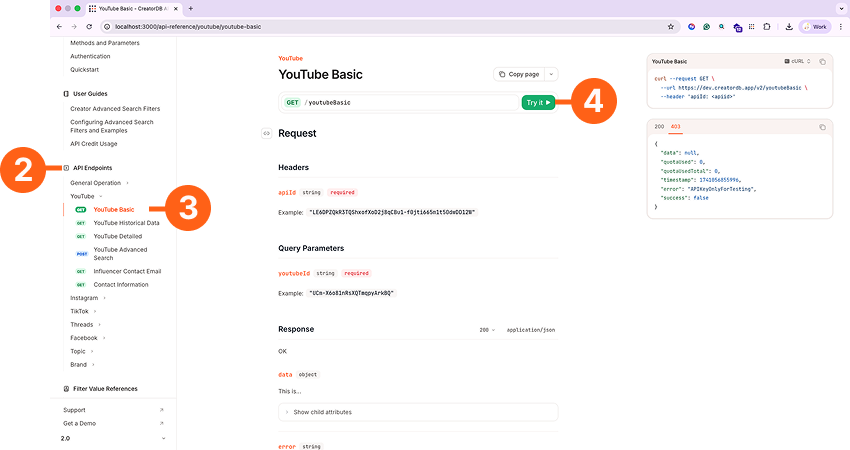
If you have never used an API reference before, follow the instructions below:- Go to the CreatorDB API documentation.
- Expand API Endpoints.
- Go to [YouTube]>[YouTube Basic].
- Click Try it.
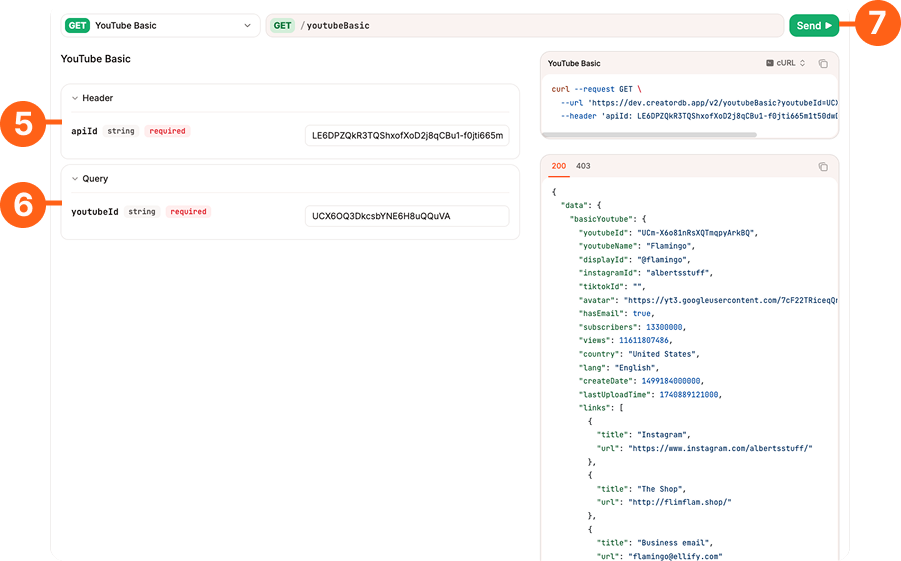
- Copy and paste your API key into the apiId field.
- Copy and paste the YouTube channel ID into the youtubeID field.
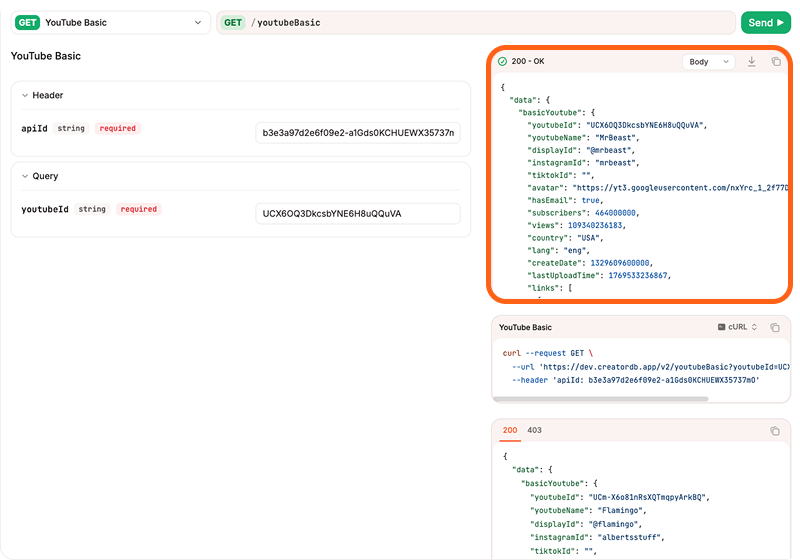
- Click Send.
The API response is displayed in the top right box.
Calling the CreatorDB API
If you are a developer and prefer using the Command Line Interface (CLI) to make API calls, follow the instructions below:- Copy the curl example.
- Paste the curl call into a text editor like Visual Studio Code.
- In the
urlsection, copy and paste the YouTube channel ID in<<YouTube_CHANNEL_ID>>. - In the
apiIdheader section, replace<<YOUR_API_KEY>>with your API key. - Copy the code and paste it into your terminal.
- Press Enter.
- The creator’s data is returned.
To get multiple creators’ account data, CreatorDB recommends writing a script or code that can asynchronously retrieve multiple creators’ data at the same time. Note that each call made to the
youtubeBasic API uses 2 API credits.